The main advantage of using Murf is the ability to modify pronounciation, which is very useful when you need audio in a language different from English, since AI tools still has difficulties pronouncing properly particular words in less popular languages.
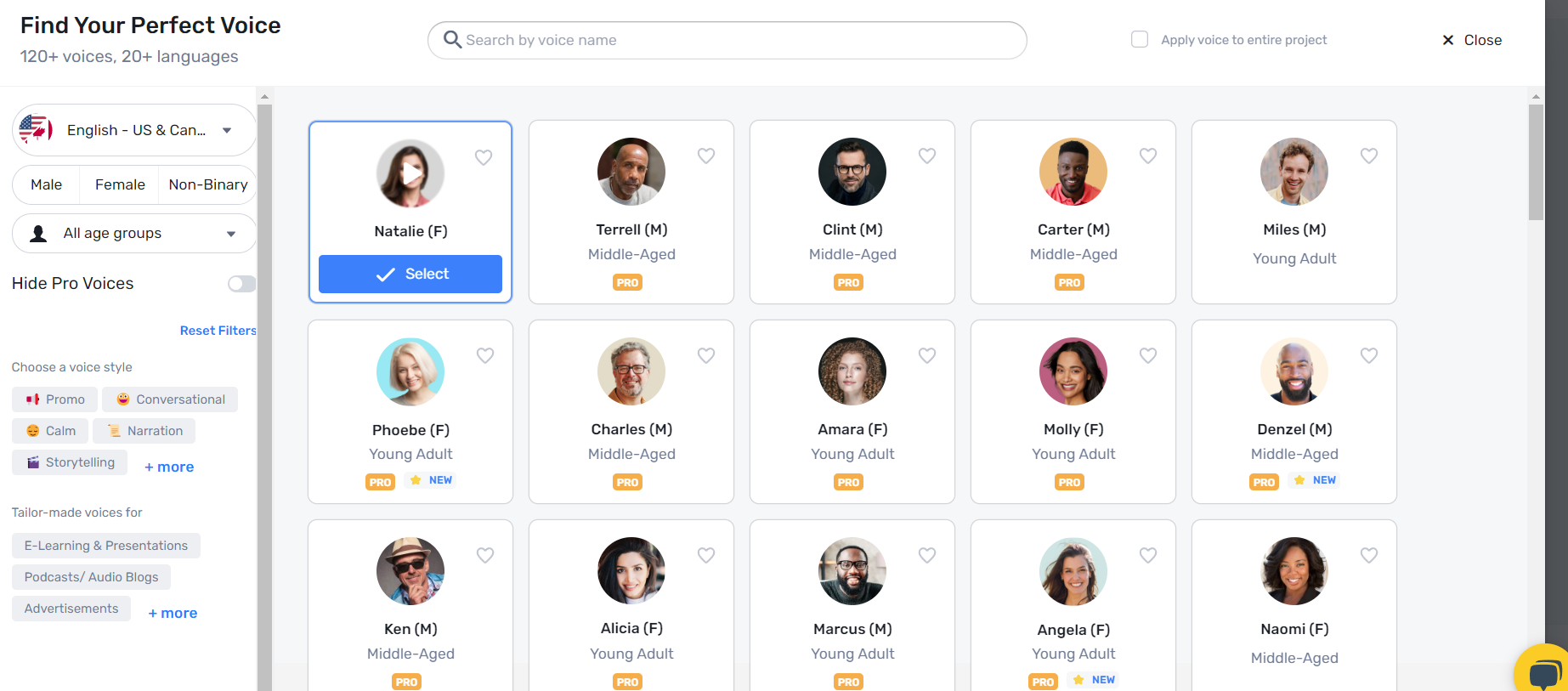
Find your perfect voice - over 120 voices and 20 languages available.
Choose your voice in Murf.ai.
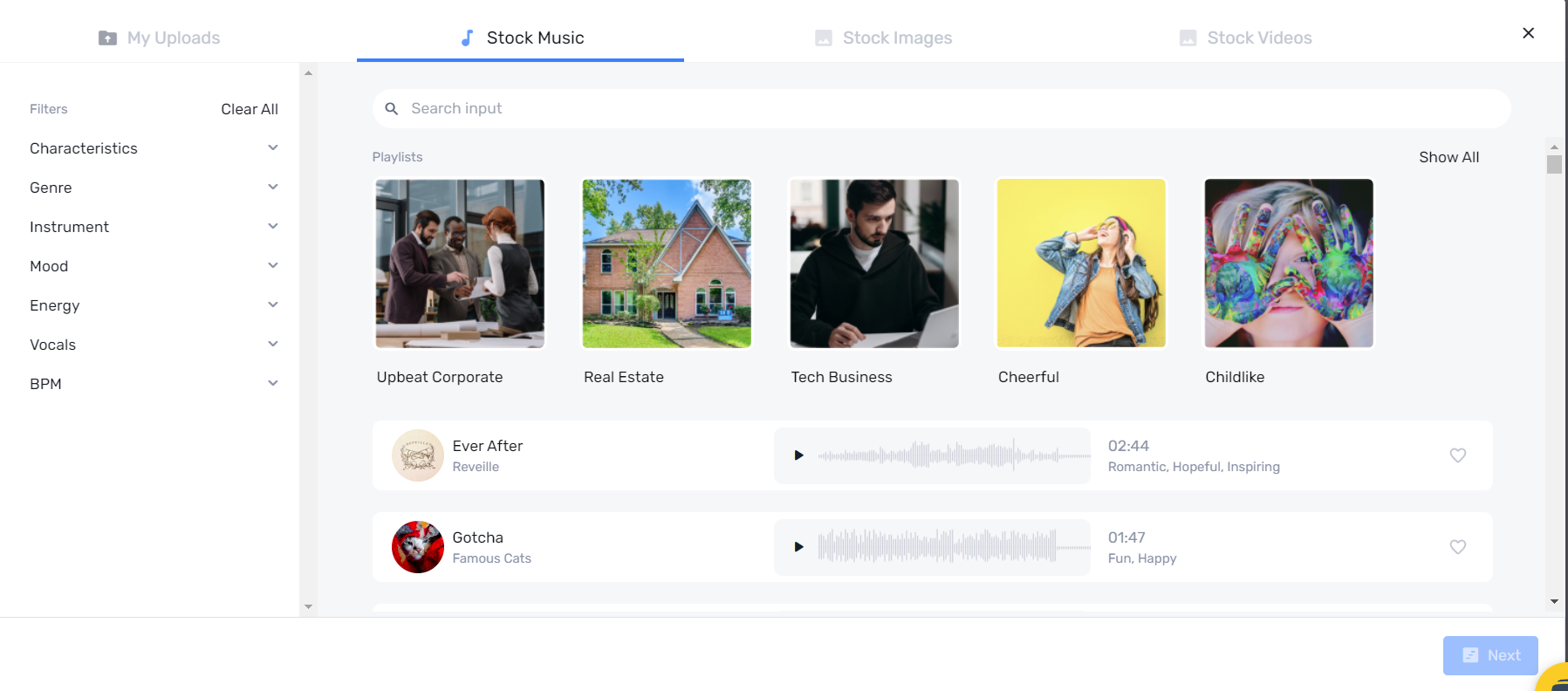
Do you need to create content quick and easy? Add stock music, stock images and stock videos.
Stock media in Murf.ai
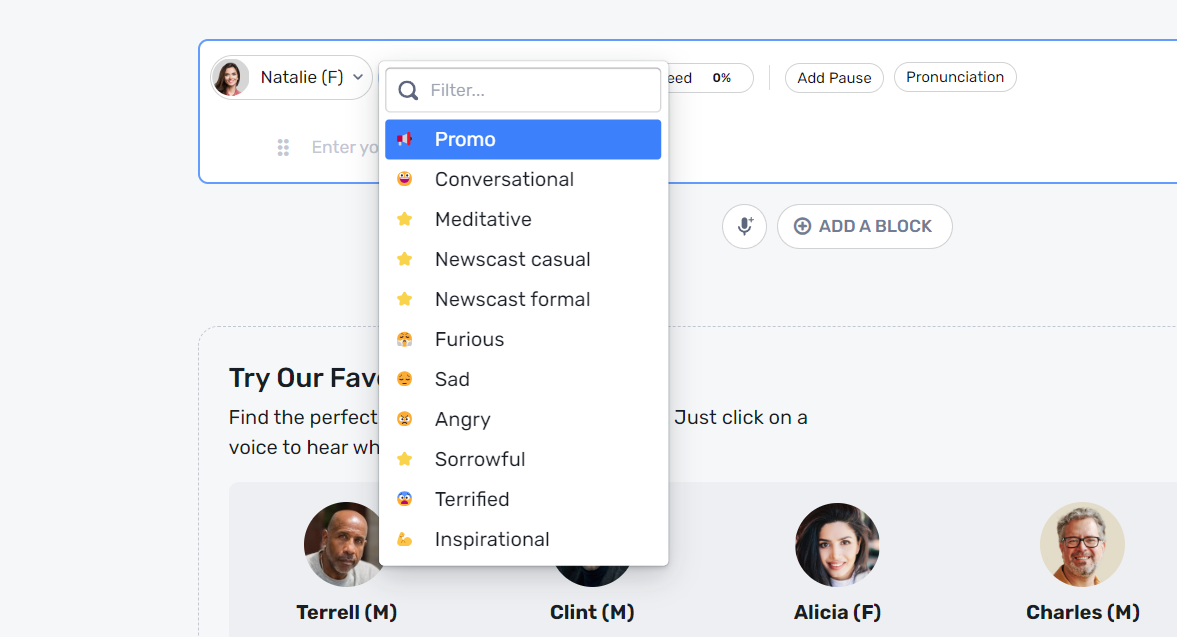
Do you need a special tone of voice for an ad or a meditative video? Murf has 11 options to choose from (conversational, furious, inspirational etc.), which covers most needs.
Select the tone in Murf.ai
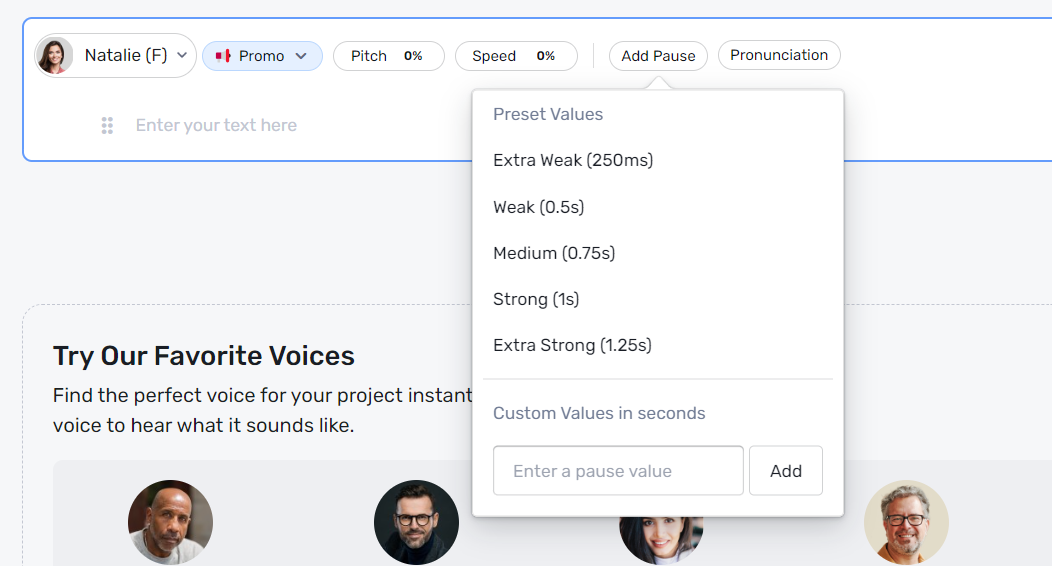
You can also set the pitch and speed percentage or set pauses so that the AI voice sounds more natural.
Set pause, pitch and speed in Murf.ai
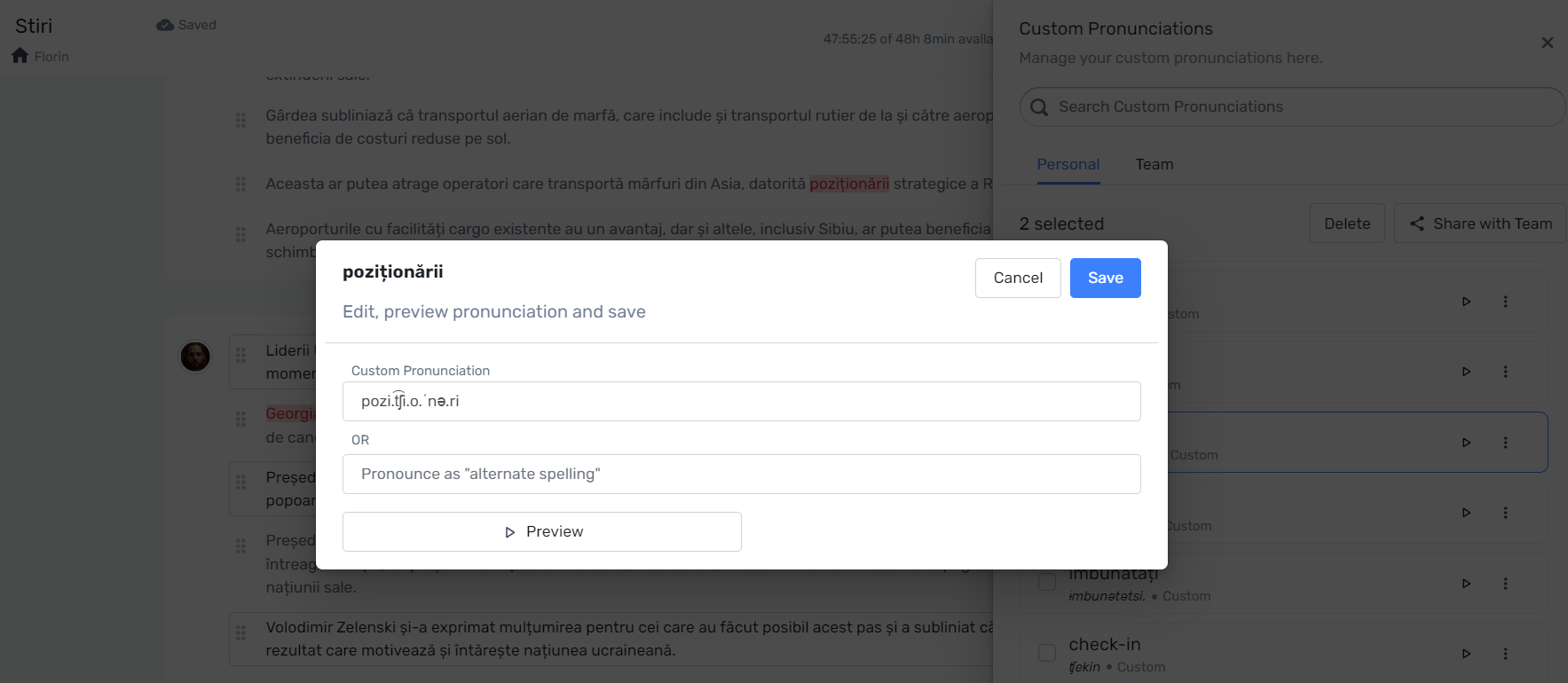
Regarding the pronunciation, you may occasionally find words that are not pronounced correctly, especially in languages other than English. Fortunately, murf.ai lets you manage the pronunciations and add your custom pronunciation to your project using phonetic spelling.
Custom pronounciation in Murf.ai
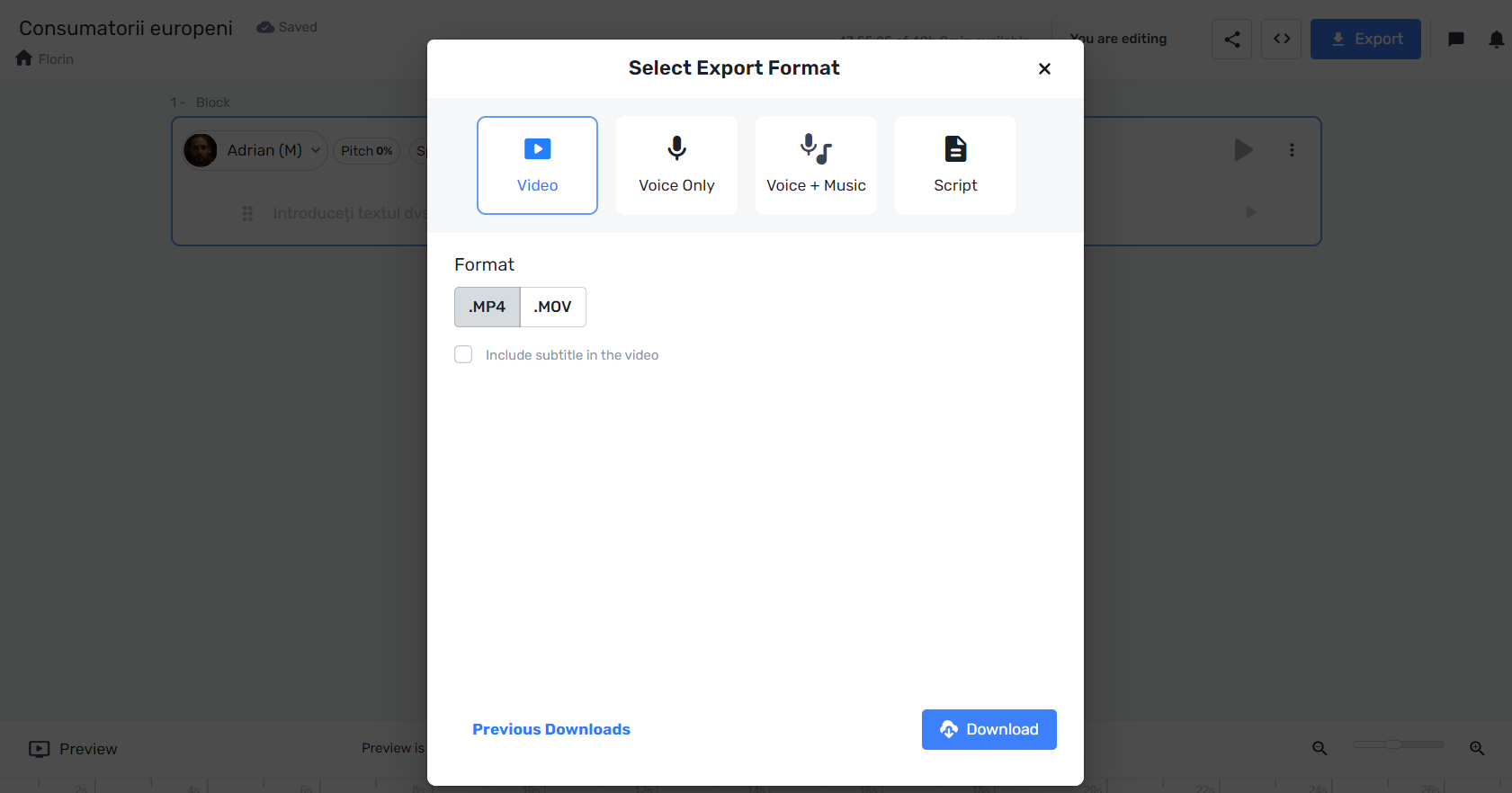
When you finished your project, you can export your project by clicking on the Export buton and then selecting the Export Format. You can choose between Video, Voice Only, Voice + Music and Script.
Download project in Murf.ai
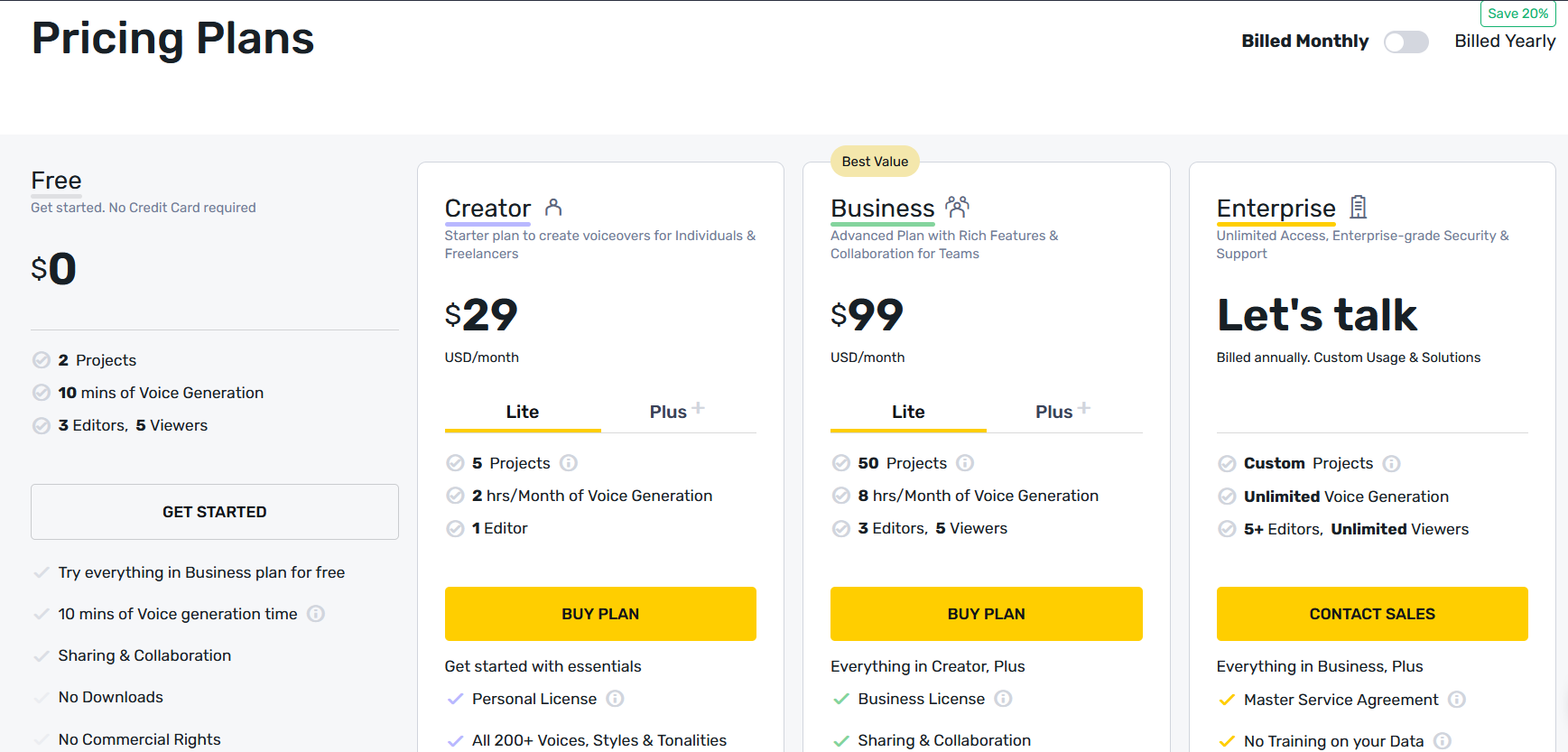
Murf has 4 pricing plans: free, creator, business and enterprise. The free plan comes with 2 projects, 10 minutes of voice generation, 3 editors and 5 viewers. If you choose the option Billed Yearly instead of Billed Monthly, you will save 20%.
This is the AI tool to use if you need audio in many languages or accent cloning.
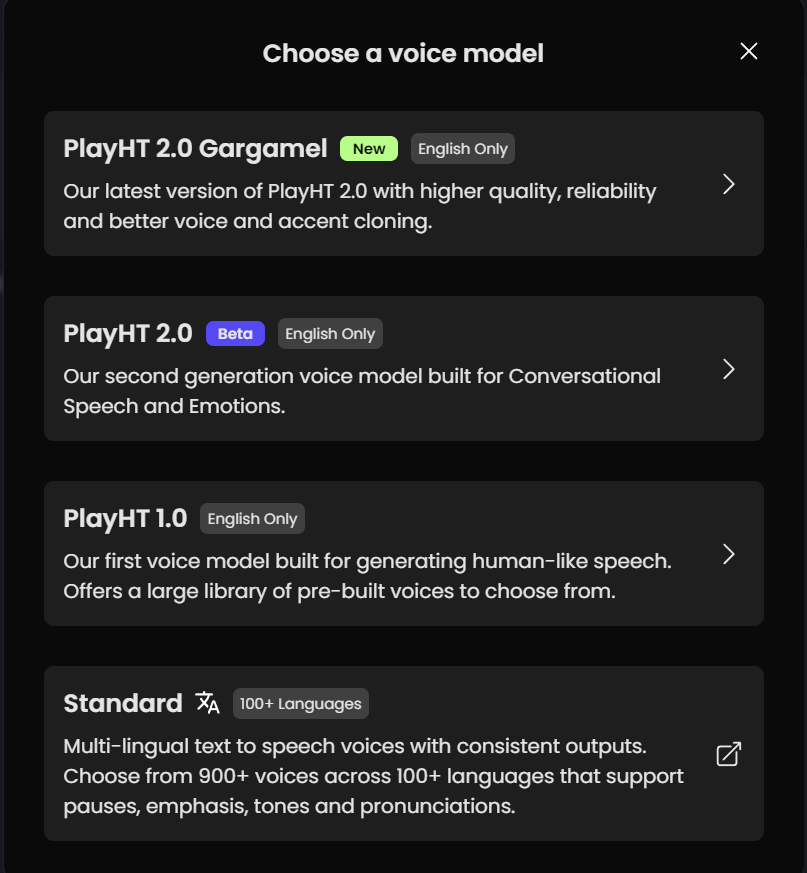
PlayHT has multiple voice models to match your needs, depending on the purpose of your project. You can choose from over 900 voices and more than 100 languages.
PlayHT Voice models
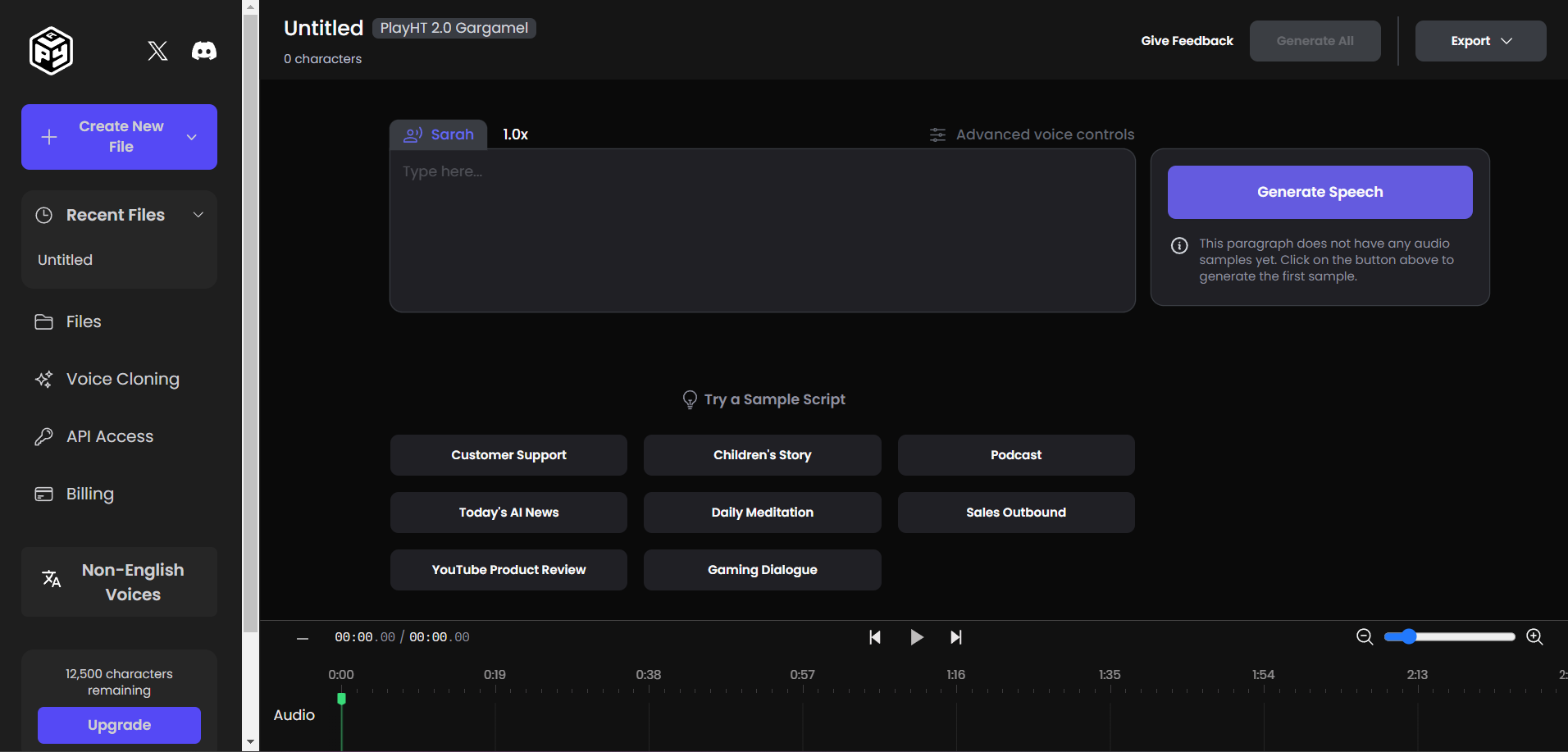
This is what you see in Play.ht after you selected a voice model and you create a new audio file.
Create audio in PlayHT
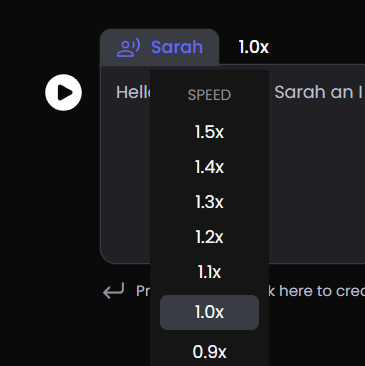
Select the speed that you want the voice to have. As you can see, PlayHT allows you to choose the speed at various levels (0.1x difference between levels), which will allow you to better control the AI voice.
Voice speed in PlayHT
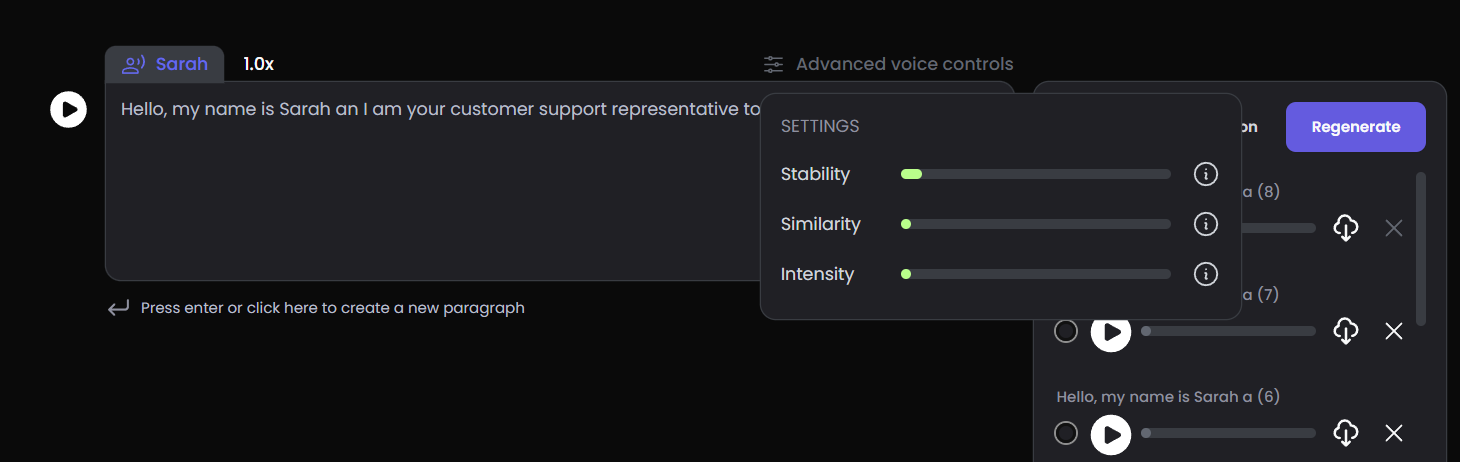
Additional voice controls:
stability: move the slider right or left to either get a flatter, more neutral performance or to add experience and variance;
similarity: control how unique your chosen voice should be compared to other voices;
intensity: control how intense the emotional performance of your selected voice should be.
AI voice - Stability, similarity and intensity in PlayHT
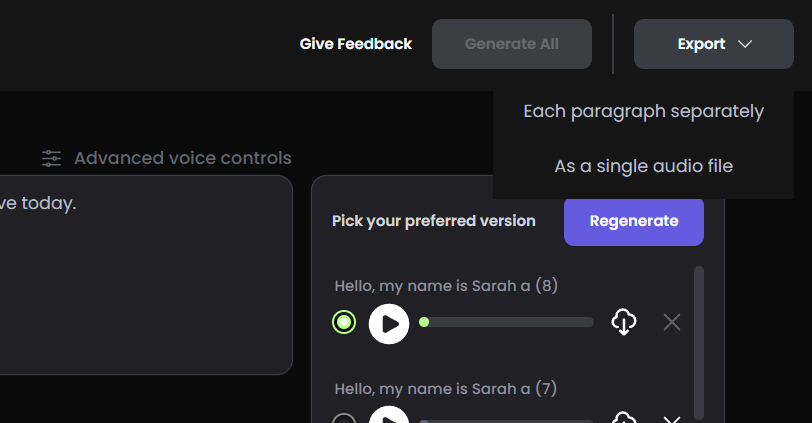
Export your project as .wav as a single audio file or each paragraph separately.
Export project in PlayHT
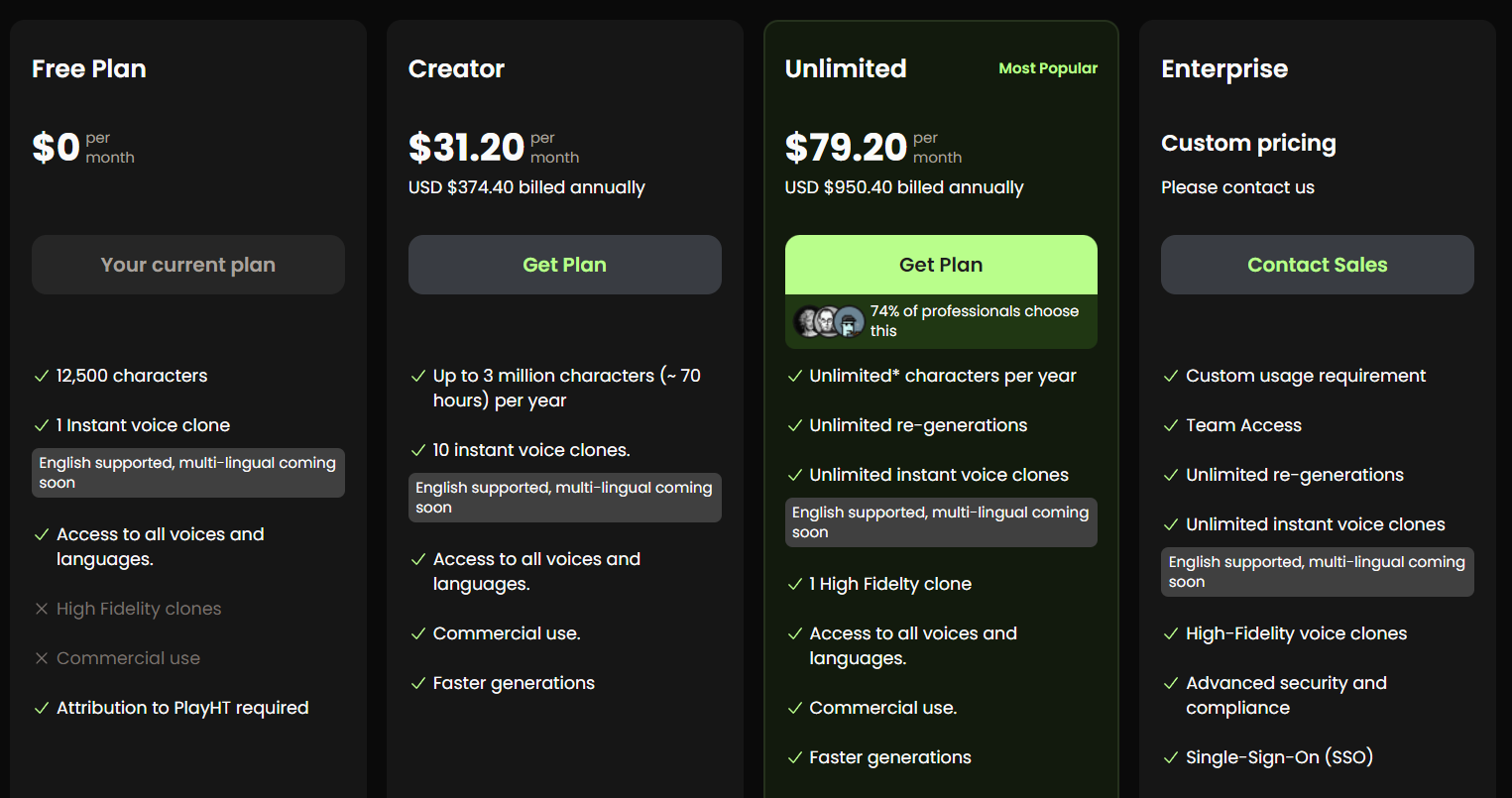
When you first sign up for a free account, you get the benefits of their free plan: 1 instant voice clone, access to all voices and languages.
PlayHT limitations for the free plan: 12,500 characters and attribution to PlayHT is required.
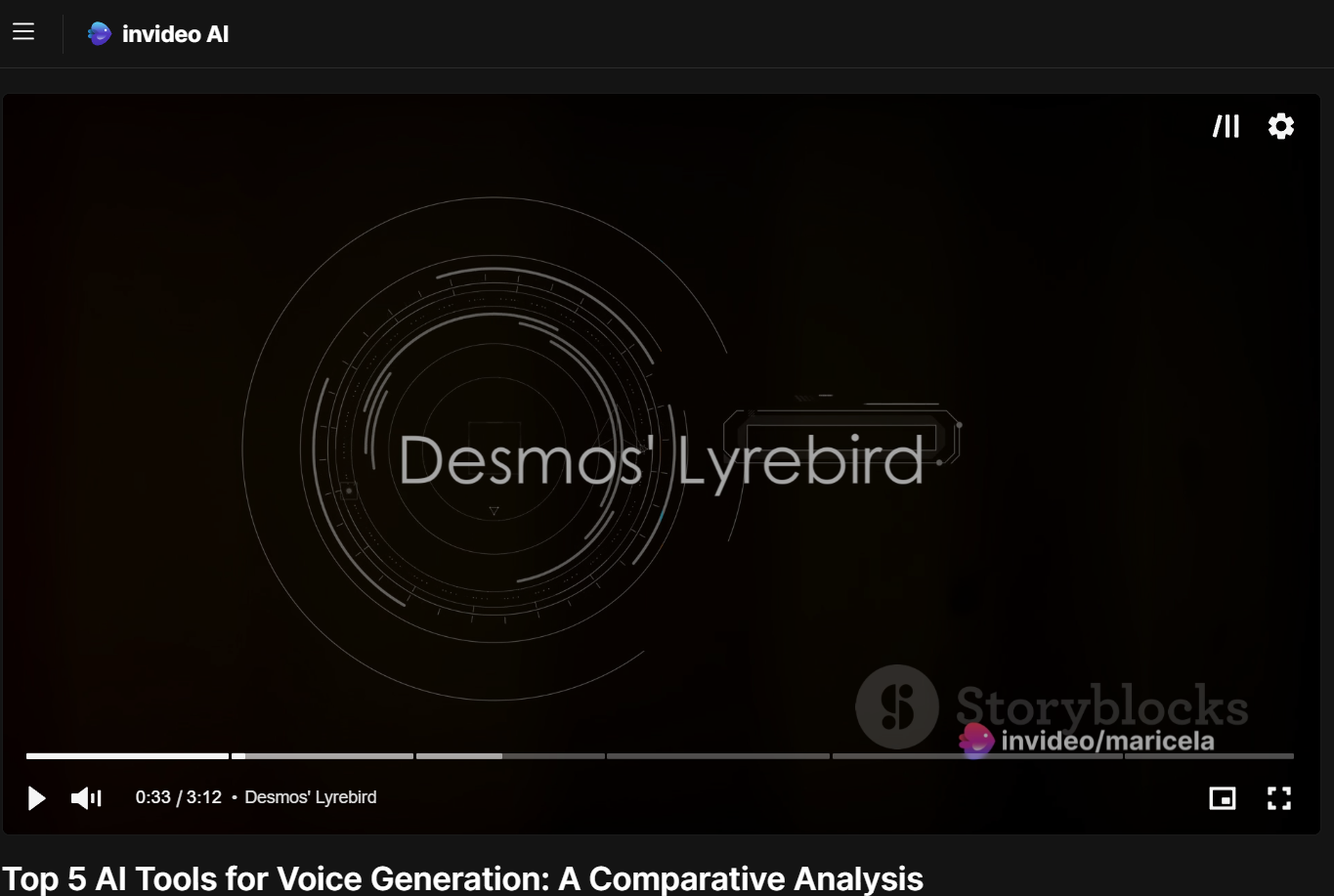
Invideo is great at great at video & audio, but not so great at generating correct information, so it is safer to provide the information yourself. It can combine information and the result is something that doesn’t exist like Desmo’s Lyrebird (the real thing is that Lyrebird is an AI research division within Descript).
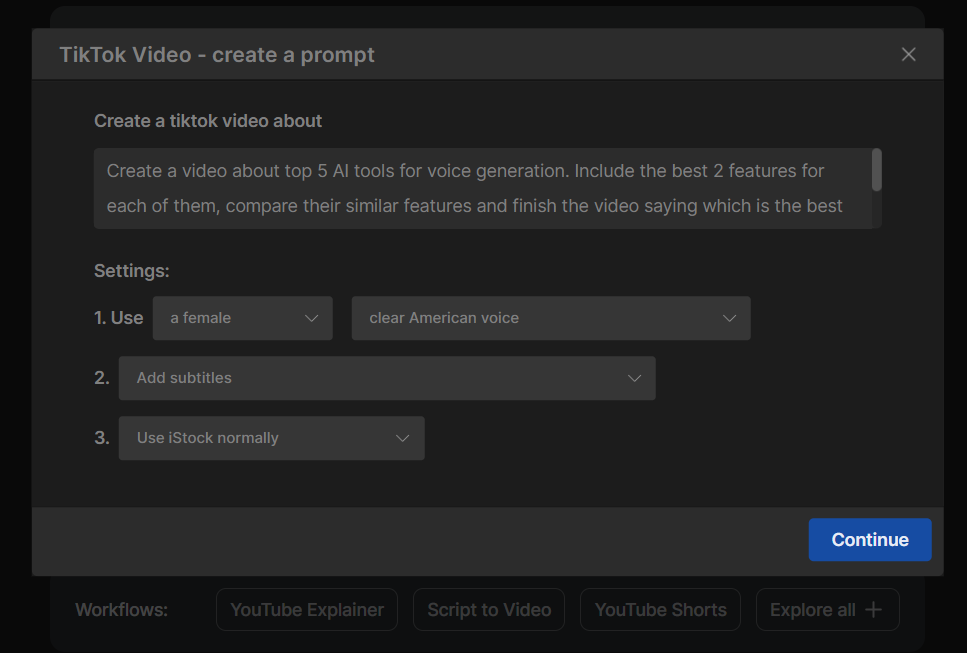
If you decide that you just want a video for TikTok, you can generate a video by writing a prompt, which it does successfully.
Generate video by prompting invideo AI
As you can see, the video starts with an AI hallucination.
invideo AI hallucination
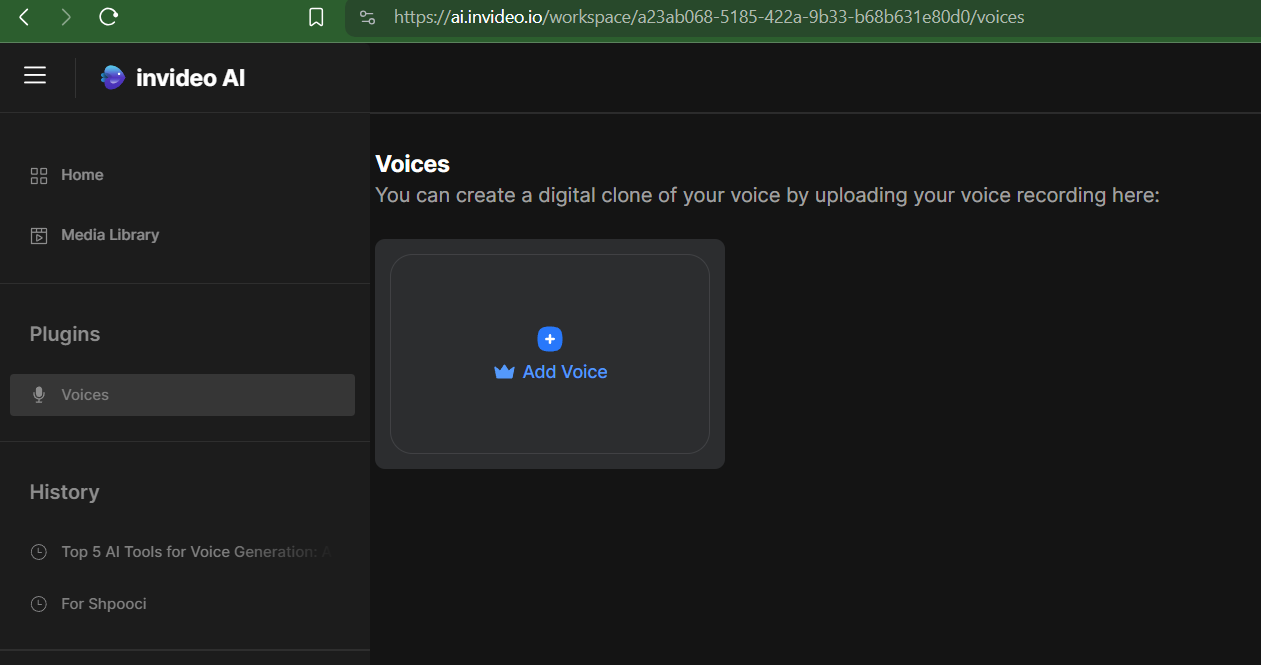
You can also use invideo AI to clone voices. You can choose to clone your voice or the voice of your deceased relatives, for example.
Clone a voice with invideo AI
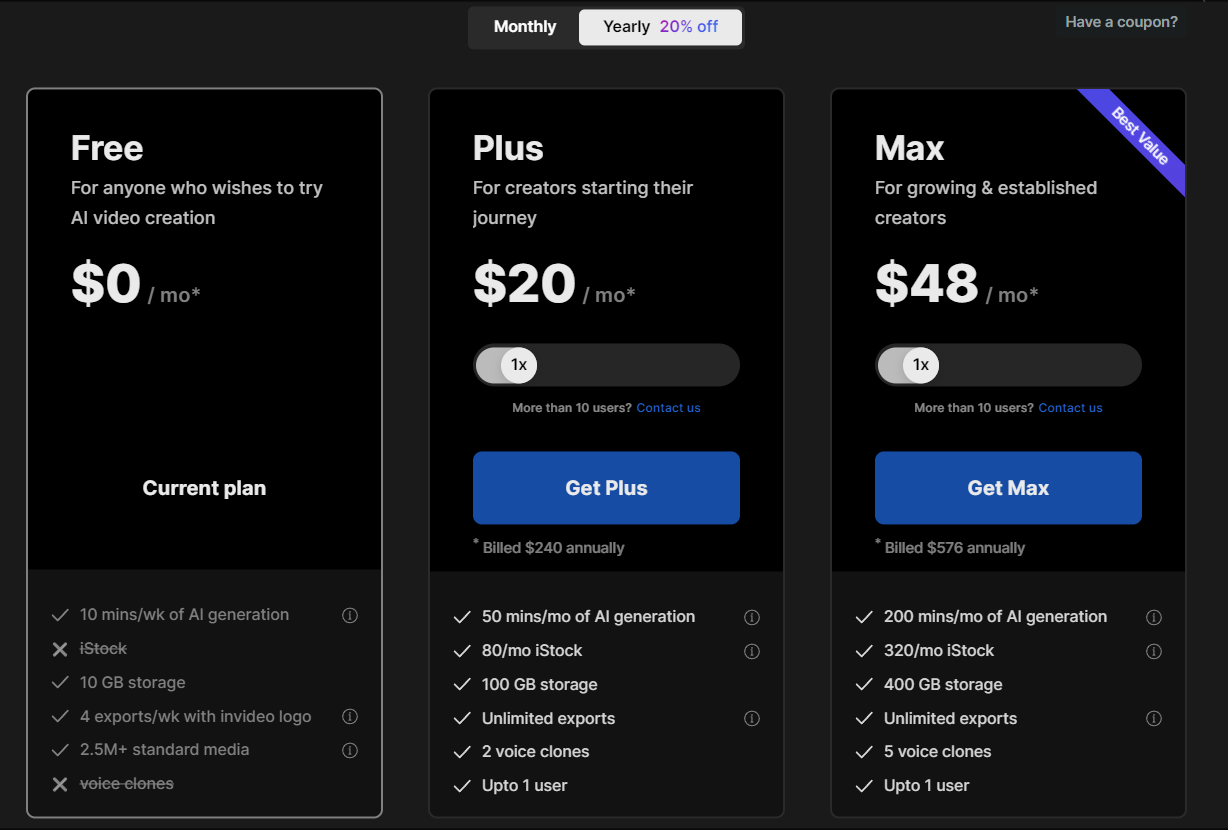
If you decide to go with the free plan that you see when you are logged in, invideo AI offers you 10 minutes/week of AI generation, 10 GB of storage, 4 exports/week with invideo logo and more standard media than you could ever use.
This is the most complex AI tool to use if you wnt scripts and ideas generated by AI, conversations between AIs
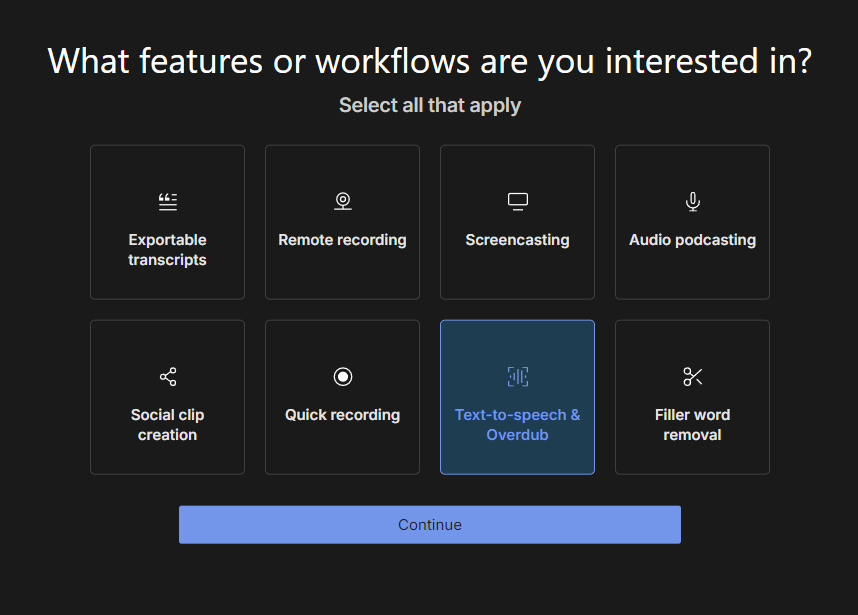
When you decide that you want to use Descript for your AI project, Descript allows you to select the workflows and features that you need for your projects. You can select:
exportable transcripts;
remote recording;
screencasting;
audio podcasting;
social clip creation;
quick recording;
text-to-speech & overdub;
filler word removal.
Select features and workflows in Descript
When you create a new project in Descript, you can choose if you want a video project, an audio project or a remote recording.
Create a new project in Descript
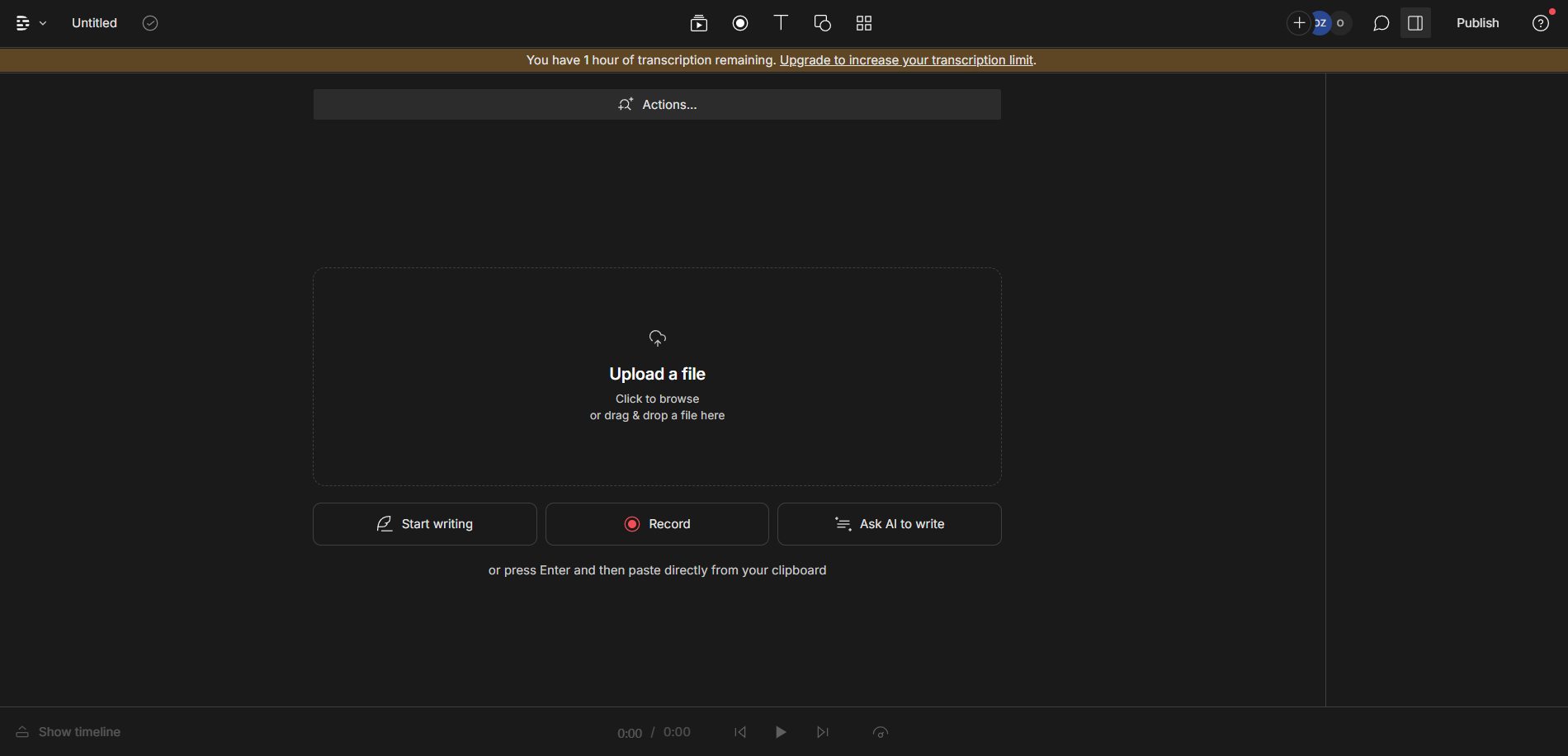
If you decide to create a new audio project in Descript, you can start writing directly, record or ask AI to write for you.
Create a new audio project in Descript
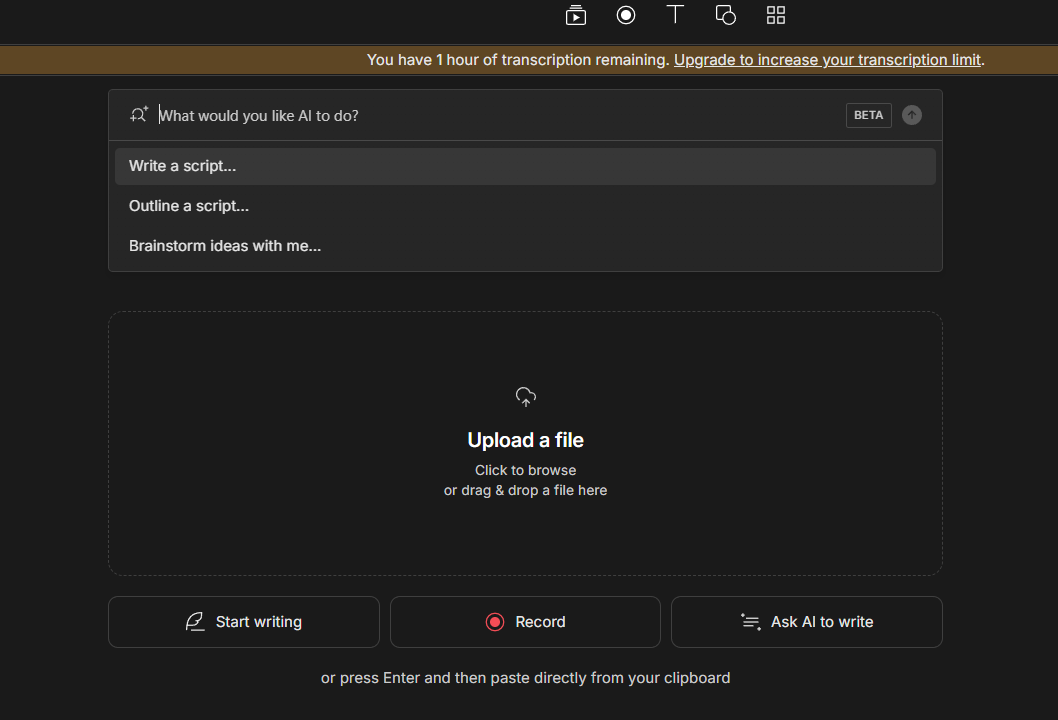
It was easier to just ask AI to write something for me., so I clicked on the Ask AI to write button and then selected Brainstorm ideas with me….
Descript - AI options
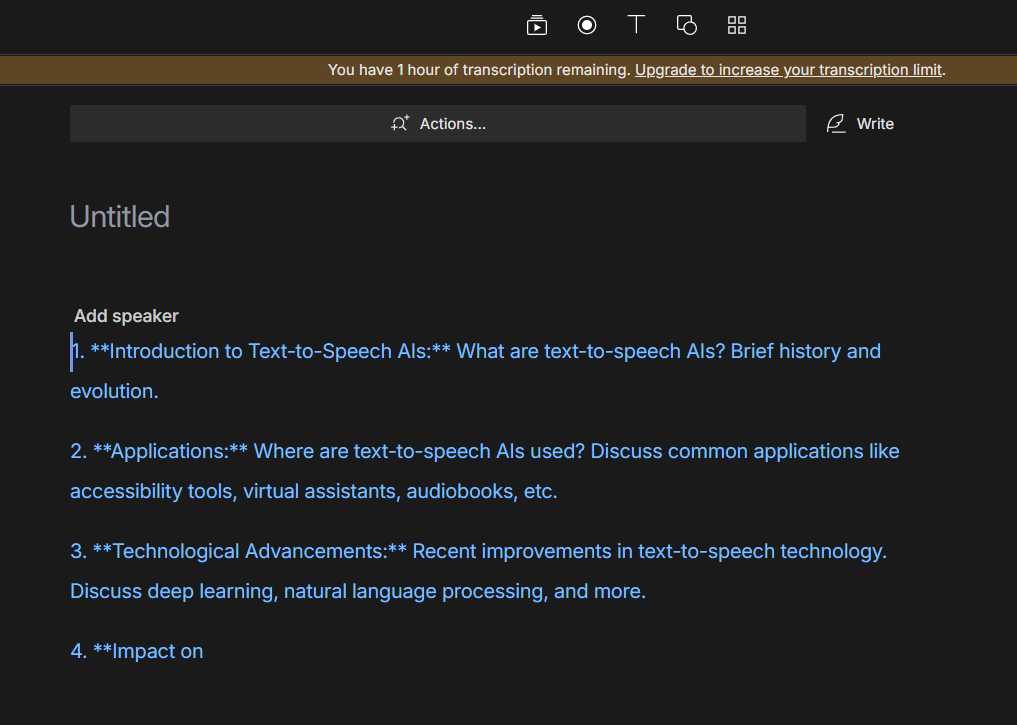
I then prompted it to come up with ideas related to text-to-speech AI tools and this is the result. As you can see, the ideas of the AI in Descript are good, but it failed to render the last idea.
Descript - Brainstorm ideas with me...
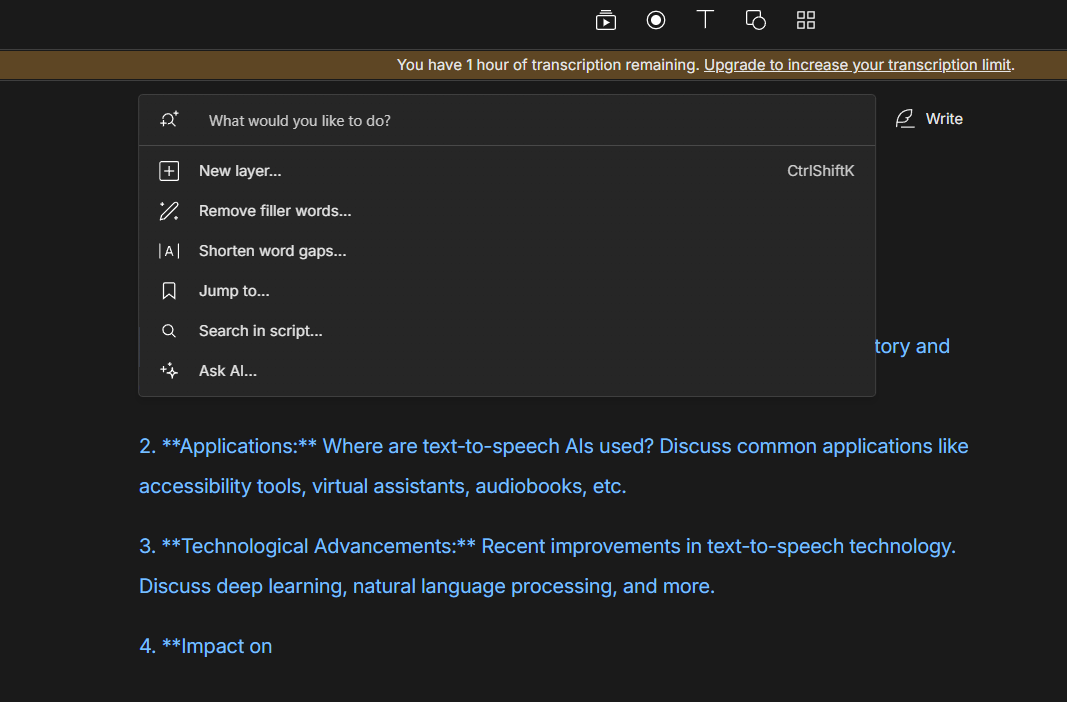
Since I was curious about the last idea, I clicked on the Actions button and selected Ask AI… from the list.
Descript actions
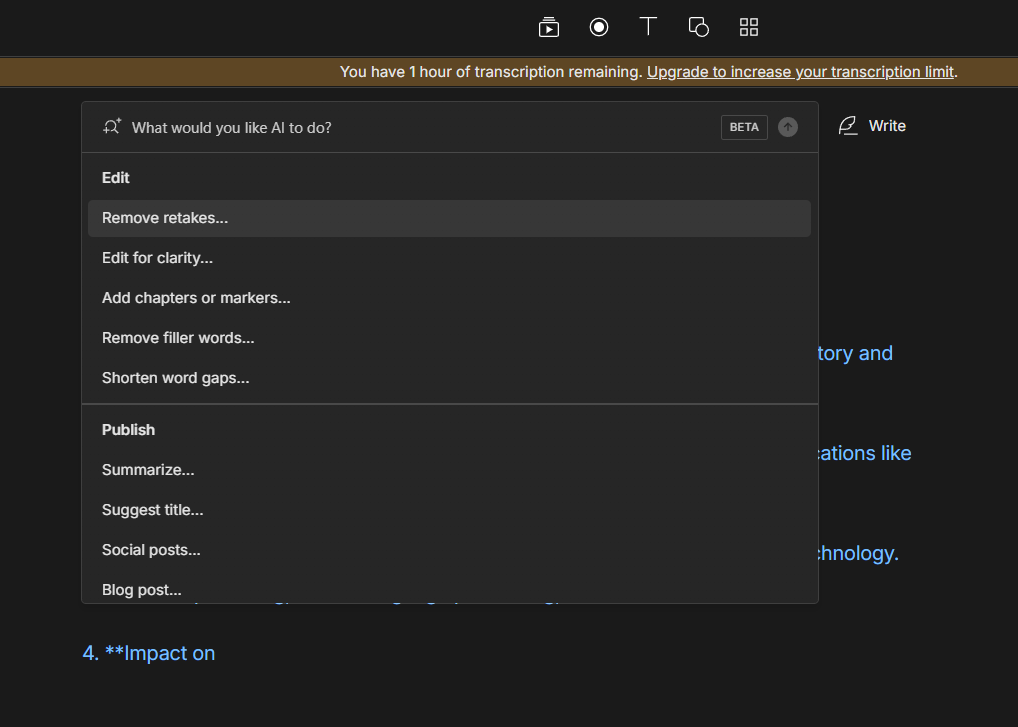
This menu (which is actually longer than you see in the image) showed up with different sections: Edit, Publish, Find and Write. Since I am still curious about that last idea, I clicked on Expand on this… unde the Write section.
What Descript AI can do
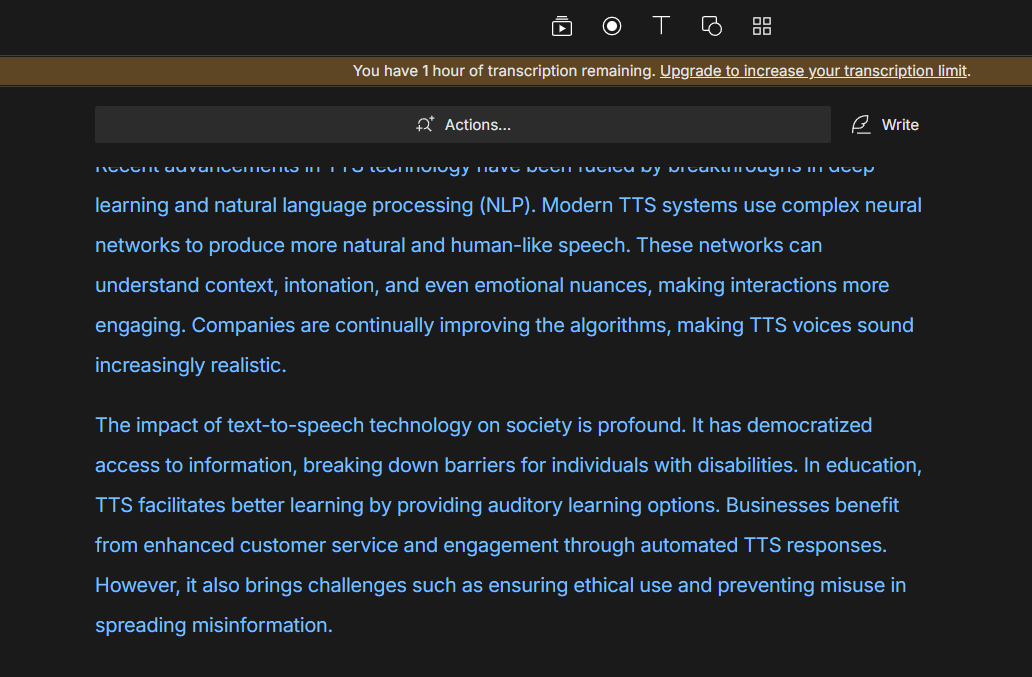
I choose to add the ideas to my existing script and I am impressed. The last idea is clear, interesting and well written.
Descript - script generated by AI
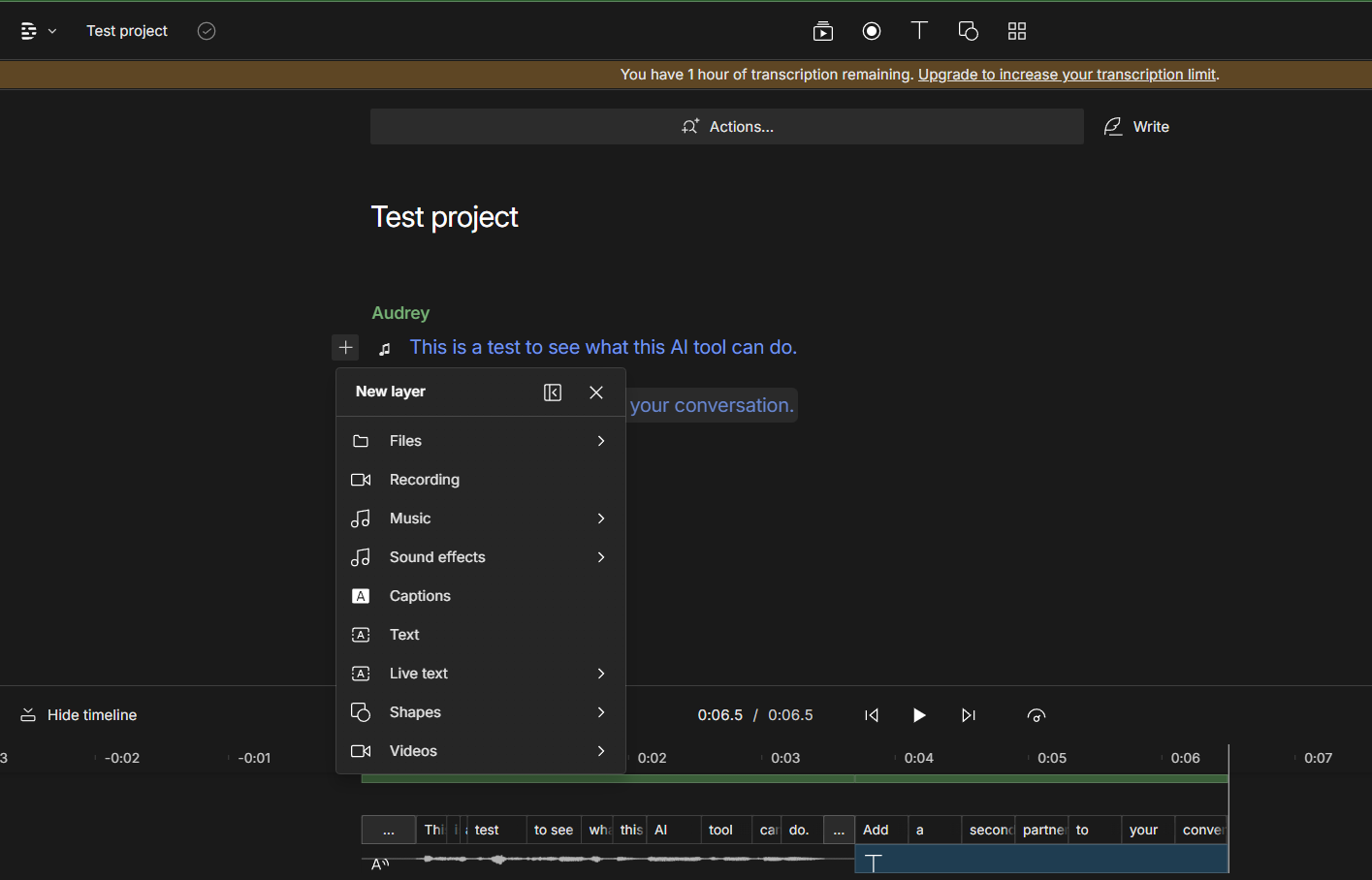
In Descript you can have layers in your project. As you can see, You can add files, recordings, music, sound effects, captions, text, live text, shapes and videos to your project. As you see, I chose Audry as my AI speaker to read my script, but if you can replace your current speaker by clicking on it and selecting Browse AI speakers. The interesting thing is that you can create something like a conversation by adding new layers and choosing different speakers for each layer.
Descript project layers
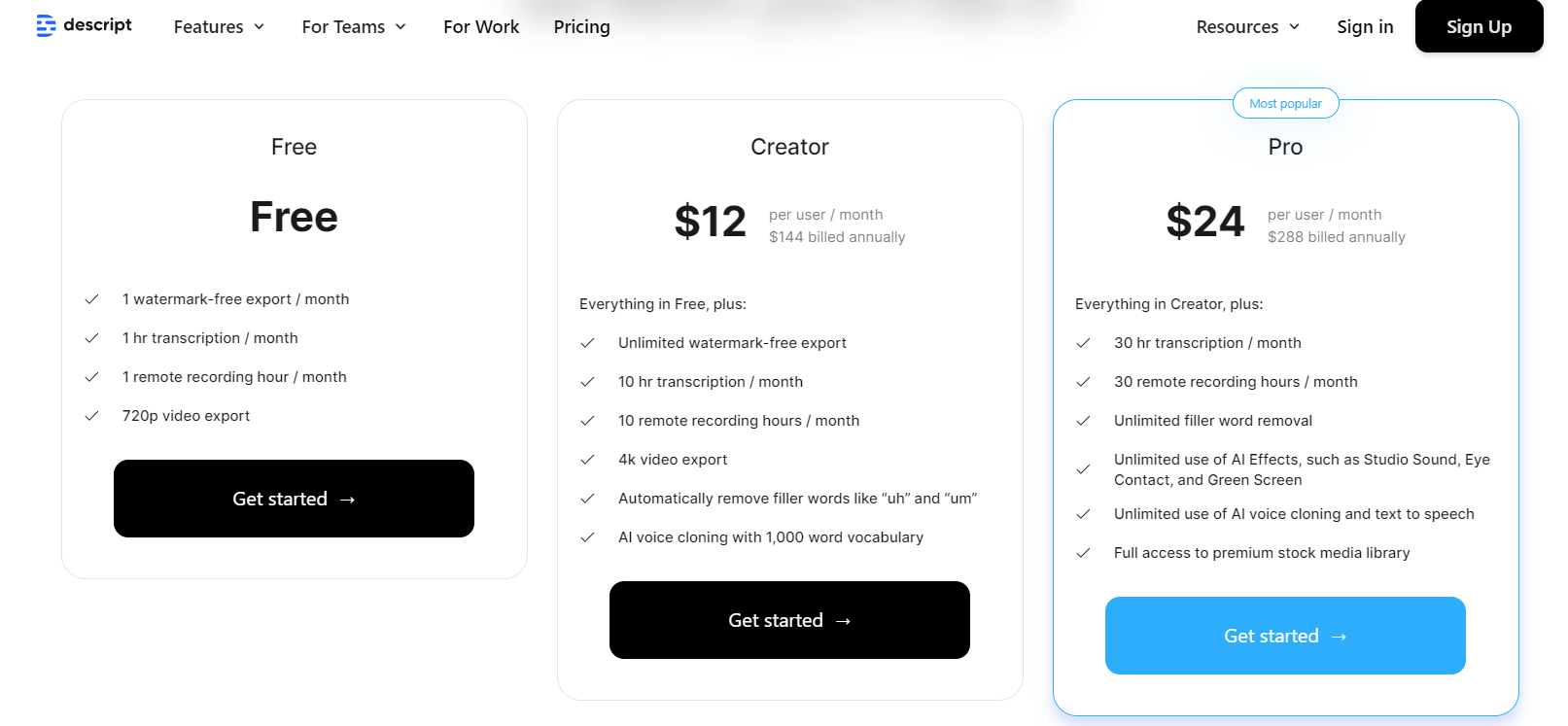
As you can see, for the free account, I have access to 1 watermark-free export/month, 1 hour transcription/month, 1 hour of remote recording/month and 720 video export, which is not bad at all. What they offer for $24 per month for the Pro account seems amazing! It saves a lot of time and there a lot of things that you can do with it.
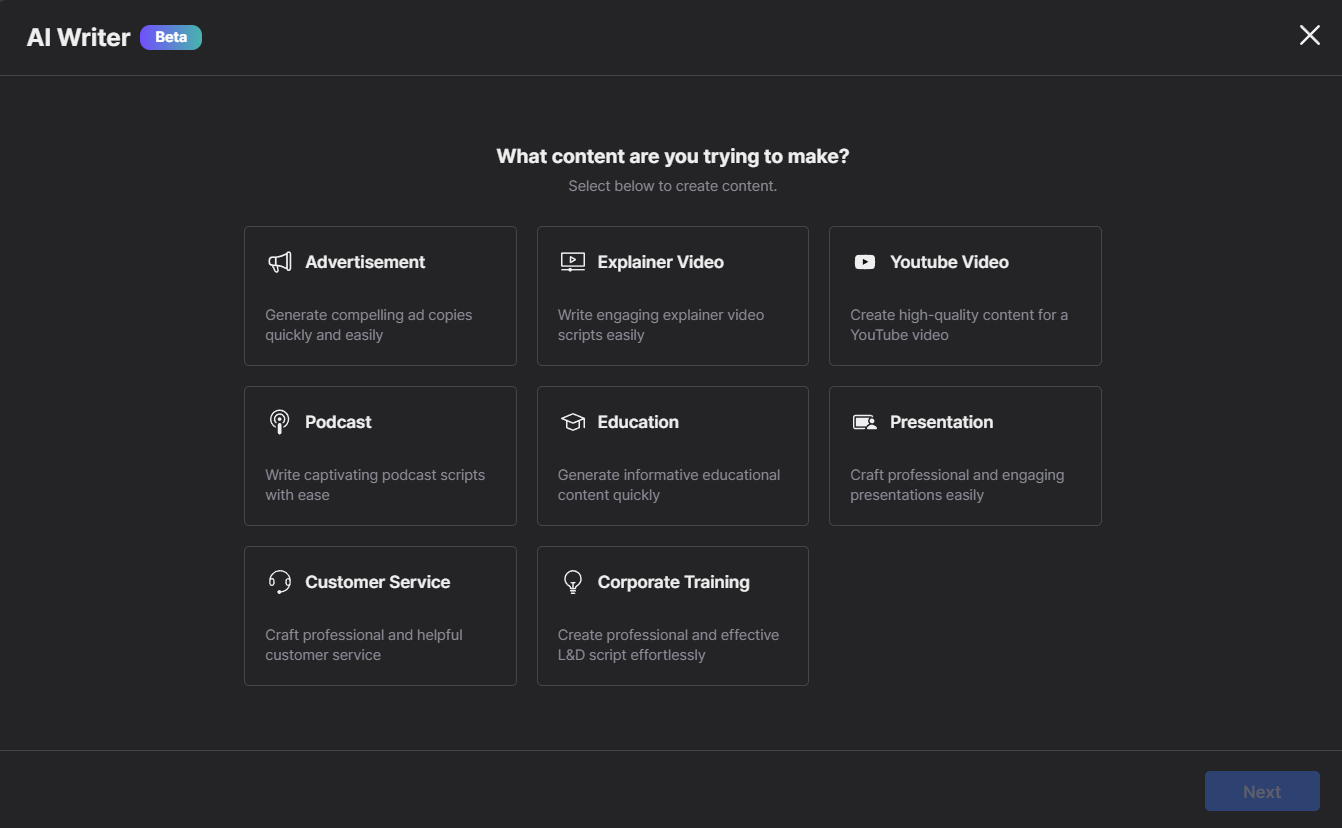
This AI tool says that over 2 million people used it. When you first sign up, you select the content that you are trying to make and Lovo automatically creates a sample project for you when you create your first project.
Lovo AI select to create content
You will notice that the URL is https://genny.lovo.ai/my-workspace/project when you try to create a new project. This is because Genny is the name of the AI used by Lovo.
Genny select to create content
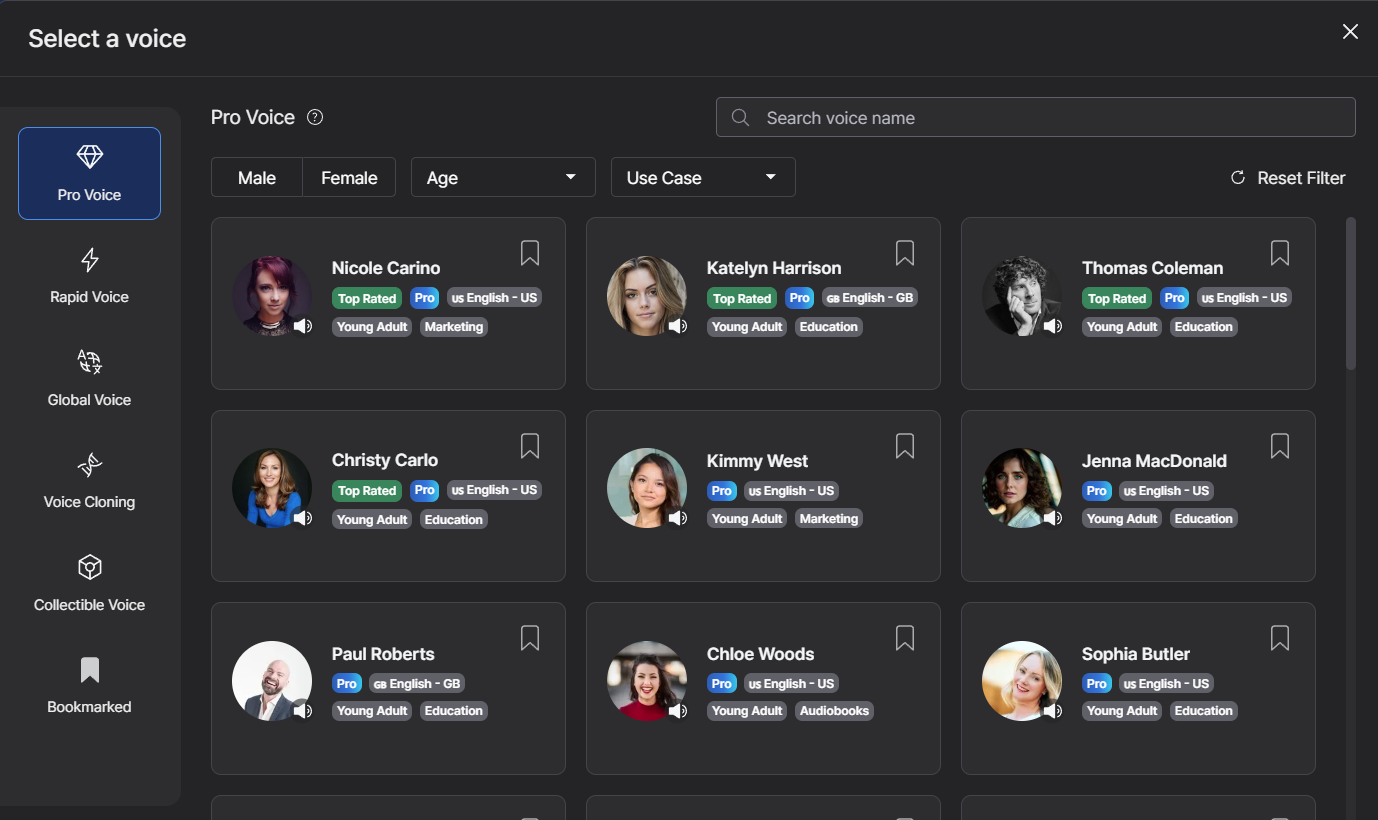
You have a wide range of voices to select from, and you can use filters like: gender, age (children, mature, young adults), and use case (audiobooks, education, entertainment, marketing).
Genny - select voice
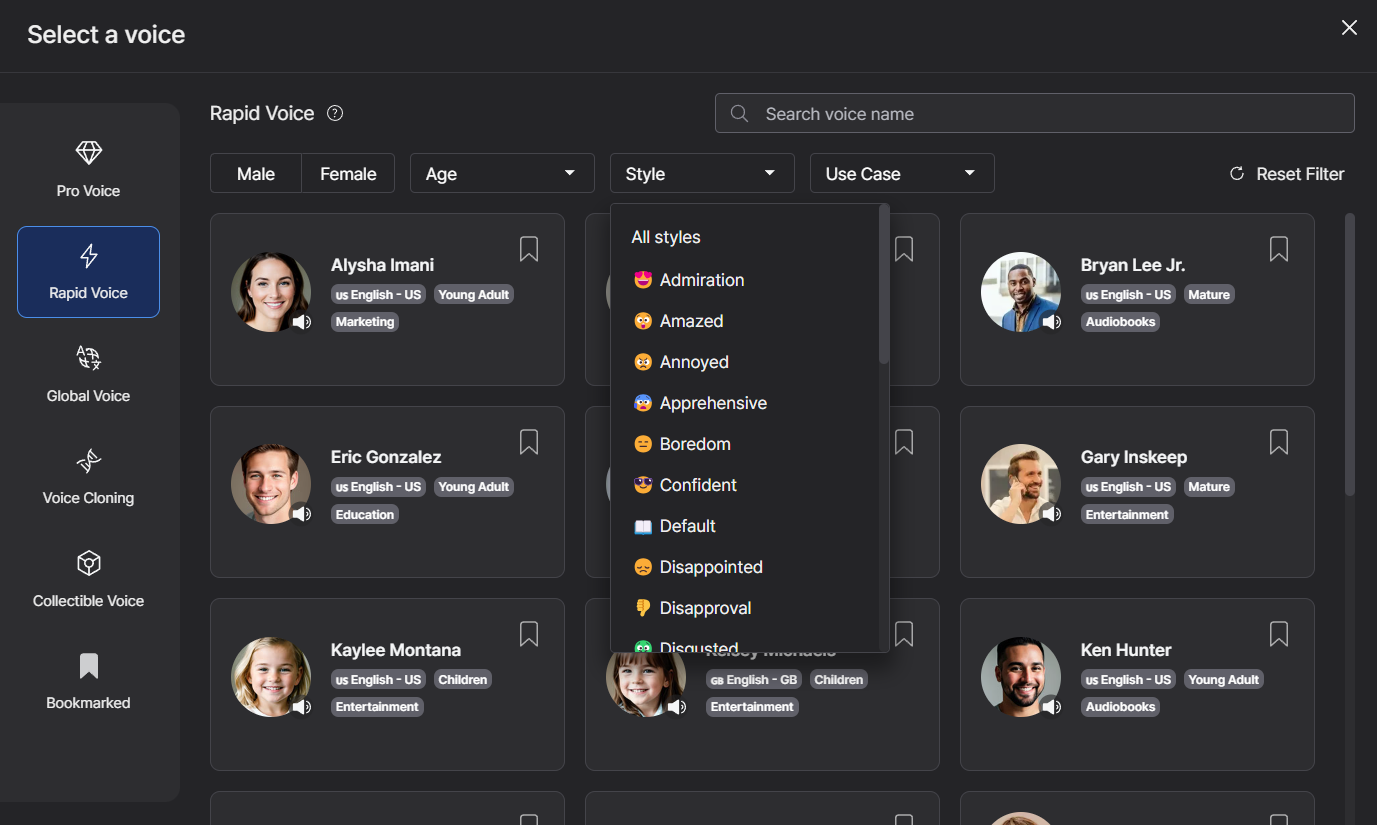
Under the rapid voice options, you have an additional filter: style. This allows you to select things like admiration, ecstatic, narrative, sarcastic, sick or urgent.
Genny - select voice style
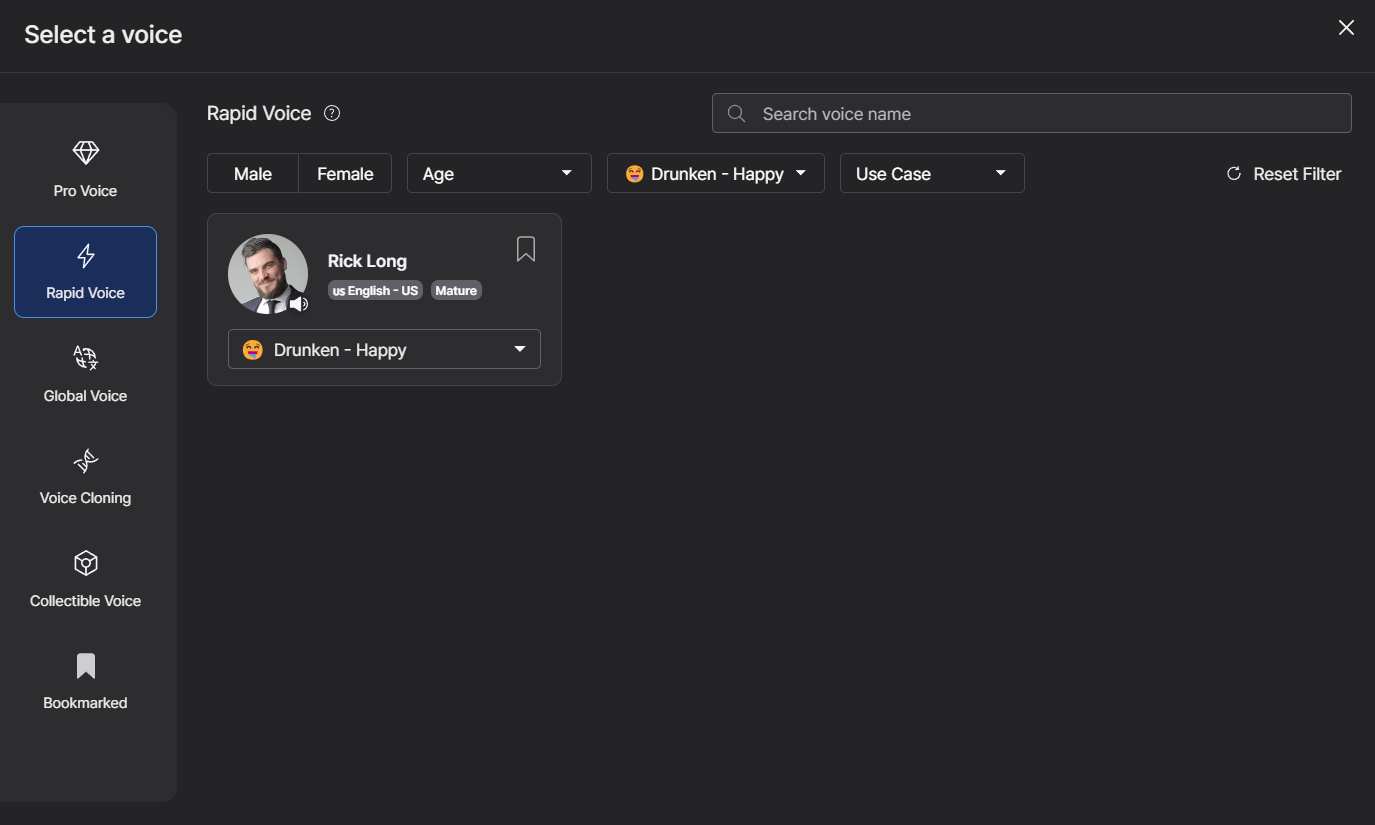
You can also have some fun and choose a style like Drunken-Happy 🙂
Genny - Drunken-Happy voice
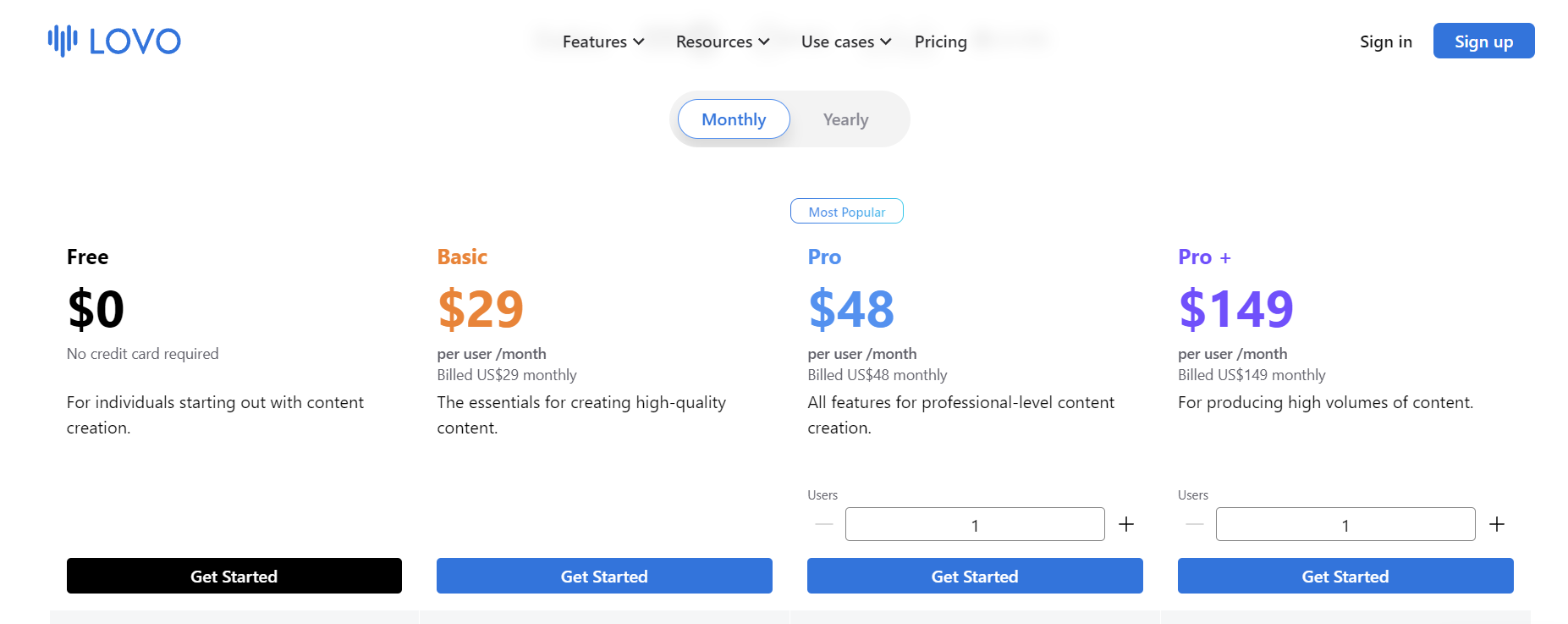
These are the pricing plans. As you can see, you can opt for monthly or yearly payments. On their website you can compare all the features for all pricing plans. With the free plan you get unlimited sharing and first 14 days free trial of Pro (over 500 AI voices in 100+ languages, unlimited voice cloning, voice enhancer, auto subtitle generator etc.)
Lovo pricing
Conclusion: I started this article as a comparison between these 5 text-to-speech AI tools to find the best AI voice generator in 2024. If you are reading this, then you already discovered that the best option actually depends on your project specific requirements. Each tool has unique features and I hope this post helped you to make an informed decision on what AI voice generator you need.